



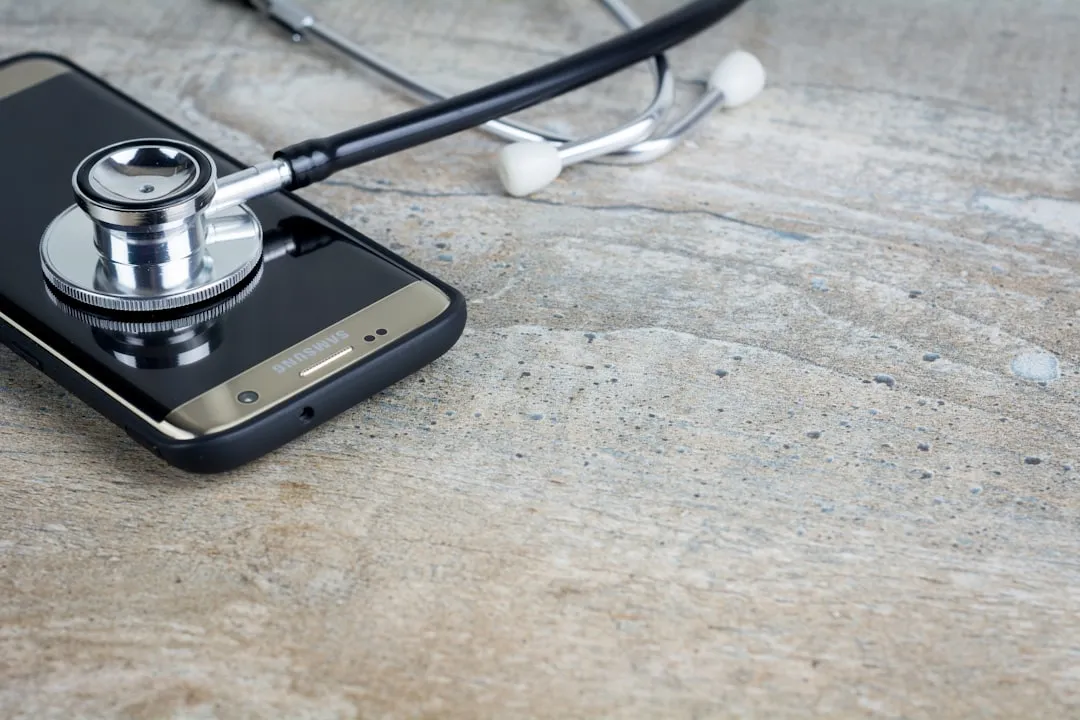
Smartphones aren't cheap investments, and with the right care, yours can serve you well for years beyond what manufacturers might have you believe. While the tech industry pushes annual upgrade cycles, the reality is that most modern smartphones have the hardware capability to remain functional and relevant much longer than their typical two-year lifespan. Understanding how to maximize your device's longevity isn't just about saving money—it's about getting the most value from sophisticated technology that's already in your hands.
Here's the thing: extending your phone's life isn't rocket science, but it does require a strategic approach. The fundamentals span multiple key areas: battery health management, storage optimization, physical protection, and strategic software maintenance. Each of these elements plays a crucial role in keeping your device running smoothly, but they work best when approached as an integrated strategy rather than isolated fixes. For example, proper battery care reduces heat generation that can slow down storage performance, while keeping storage optimized prevents the system strain that accelerates battery drain.
Battery care: the foundation of long-term performance
Your smartphone's battery is arguably its most critical component for longevity, and proper charging habits can dramatically extend its lifespan. Modern lithium-ion batteries perform best when kept between 20% and 80% charge levels, avoiding the stress that comes from complete discharge cycles or constant 100% charging. This means charging your phone from 30% to 70% twice actually causes less battery wear than one complete 0% to 100% cycle.
Heat management plays an equally important role in battery preservation, and this is where many people unknowingly sabotage their devices. Excessive temperatures—whether from direct sunlight, hot car interiors, or intensive gaming sessions—can permanently degrade battery chemistry. Smart charging practices include removing cases during charging to improve heat dissipation and avoiding overnight charging when possible. Even a 10-degree temperature reduction during charging can significantly extend battery lifespan.
The concept of charging cycles directly impacts your device's long-term performance. Each complete discharge and recharge counts as one cycle, and most smartphone batteries are designed to retain about 80% of their original capacity after 500-800 cycles. For typical users, this translates to 18-24 months before noticeable battery degradation begins. However, by maintaining partial charges rather than full cycles, you can extend this timeline to 3-4 years or more.
PRO TIP: Enable your phone's battery optimization features—most modern devices include adaptive charging that slows down the charging process during overnight sessions to reduce heat and chemical stress.
Storage management and performance optimization
Digital clutter accumulates faster than most users realize, and a smartphone running near storage capacity will inevitably experience performance degradation. When storage drops below 10% of total capacity, most phones begin showing noticeable slowdowns as the system struggles to manage temporary files and cache data. Regular cleanup of cached data, unused apps, and redundant files can restore surprising amounts of both storage space and processing speed.
Photo and video management represents the biggest opportunity for most users, often accounting for 60-80% of storage usage. Cloud storage solutions can automatically backup and remove local copies of media files, freeing up substantial space while maintaining access to your content. Setting up automated systems that handle this maintenance eliminates the need for constant manual intervention—configure your phone to automatically upload photos when connected to Wi-Fi, then delete local copies after successful backup.
App management extends beyond simple deletion to include ongoing maintenance of background processes. Many applications continue running background processes even when not actively used, consuming both battery life and processing power. Regular audits of app permissions, background refresh settings, and notification preferences can improve overall device performance by 15-20%. Focus particularly on apps that request location access, camera permissions, or constant background refresh—these are the biggest resource consumers.
Key areas to review monthly:
- Background app refresh settings
- Location services permissions
- Notification settings for unused apps
- Cached data from social media and streaming apps
Physical protection strategies that actually work
The right protective approach balances everyday usability with genuine protection against the drops, bumps, and environmental factors that cause most smartphone damage. Quality cases and screen protectors remain the most cost-effective insurance policy for extending device life, but protection effectiveness varies dramatically based on design and materials.
Screen protection has evolved beyond basic plastic films to include tempered glass options that can absorb significant impact without compromising touch sensitivity. Premium tempered glass protectors can absorb impacts up to 6 feet of drop height, and the $20-40 investment often prevents screen repairs that typically cost $150-400 depending on your device model.
Water damage prevention extends beyond obvious scenarios like dropping phones in pools. Humidity, steam, and even heavy rain can cause internal damage that may not become apparent until months later. Understanding your device's IP rating provides crucial guidance: IP67 means 30 minutes underwater at 1 meter depth, while IP68 extends this to deeper water and longer duration. However, these ratings apply to fresh water only—salt water, chlorinated pools, and soapy water can still cause damage even within rated limits.
Environmental factors to monitor:
- Bathroom steam during hot showers
- Car dashboard heat exposure
- Beach sand infiltration around ports
- Winter condensation when moving between temperature extremes
Software maintenance and update strategy
Operating system updates present a complex balance between security improvements and potential performance impacts on older hardware. While security updates should generally be applied promptly to protect against vulnerabilities, major OS upgrades require more careful consideration based on your device's age and specifications. Devices over two years old may experience slower performance with the latest OS versions optimized for newer hardware.
App updates follow similar principles but with additional considerations for feature expansion and resource requirements. Newer versions of applications often include features that assume more powerful processors, additional RAM, and faster storage. For devices over 18 months old, consider enabling automatic updates only for security patches while manually reviewing major feature updates before installation.
Background processes and automatic services gradually accumulate over time, creating invisible performance drains. A new phone typically runs 20-30 background services, but this number can grow to 50-80+ over months of use as apps add services and permissions. Regular reviews of which apps have permission to run background refresh, send notifications, and access location services can free up 10-15% of system resources.
Monthly maintenance checklist:
- Review recently installed apps for unnecessary permissions
- Clear cache data from high-usage apps
- Disable background refresh for apps used less than weekly
- Check storage usage by app and remove data hogs
Repair vs. replacement: making smart decisions
Understanding when repairs make financial sense versus when replacement becomes inevitable can save hundreds of dollars and extend device life significantly. Common issues like battery degradation, cracked screens, and charging port problems are often economically repairable, especially on devices that originally cost $400 or more.
Battery replacement represents one of the most cost-effective repairs, typically ranging from $50-120 depending on your device model. Professional battery replacement can restore 90-95% of original performance levels, effectively extending device life by 2-3 years. This repair makes financial sense when the device is otherwise functioning well and the replacement cost is less than 20% of a comparable new device.
The availability of repair services and parts varies significantly by device manufacturer and model. Popular devices like iPhones, Samsung Galaxy phones, and Google Pixels have extensive third-party repair ecosystems with readily available parts and competitive pricing. Less common models may have limited repair options and higher parts costs, making replacement more economical.
Repair vs. replacement decision matrix:
- Repair: Battery issues, cracked screens, charging problems on devices under 3 years old
- Consider carefully: Water damage, motherboard issues, multiple simultaneous problems
- Replace: Devices over 4 years old with major hardware failures, or when repair costs exceed 50% of replacement value
Maximizing the technology you already own
The strategies for extending smartphone life ultimately come down to treating your device as the sophisticated piece of technology it is, rather than a disposable gadget. Proper battery management, regular maintenance, physical protection, and strategic repair decisions can easily double or triple the useful life of most modern smartphones.
The key lies in developing sustainable habits around these practices rather than waiting until problems develop. Start with battery optimization and physical protection—these provide immediate benefits and prevent the most common failure modes. Add storage management and software maintenance as monthly routines, and you'll maintain peak performance throughout your device's extended lifespan.
Your current smartphone probably has more processing power than computers that cost thousands of dollars just a few years ago. With consistent care and maintenance, there's no reason it can't continue serving you well for 4-5 years or more. The question isn't whether your phone can last longer—it's whether you're ready to implement the simple practices that make extended longevity possible.
Getting started this week:
- Check your current battery health in device settings
- Set up automated photo backup and local deletion
- Install quality screen protection if you haven't already
- Review and disable unnecessary background app permissions
By taking these first steps, you're setting the foundation for years of reliable performance from technology you already own.




Comments
Be the first, drop a comment!