






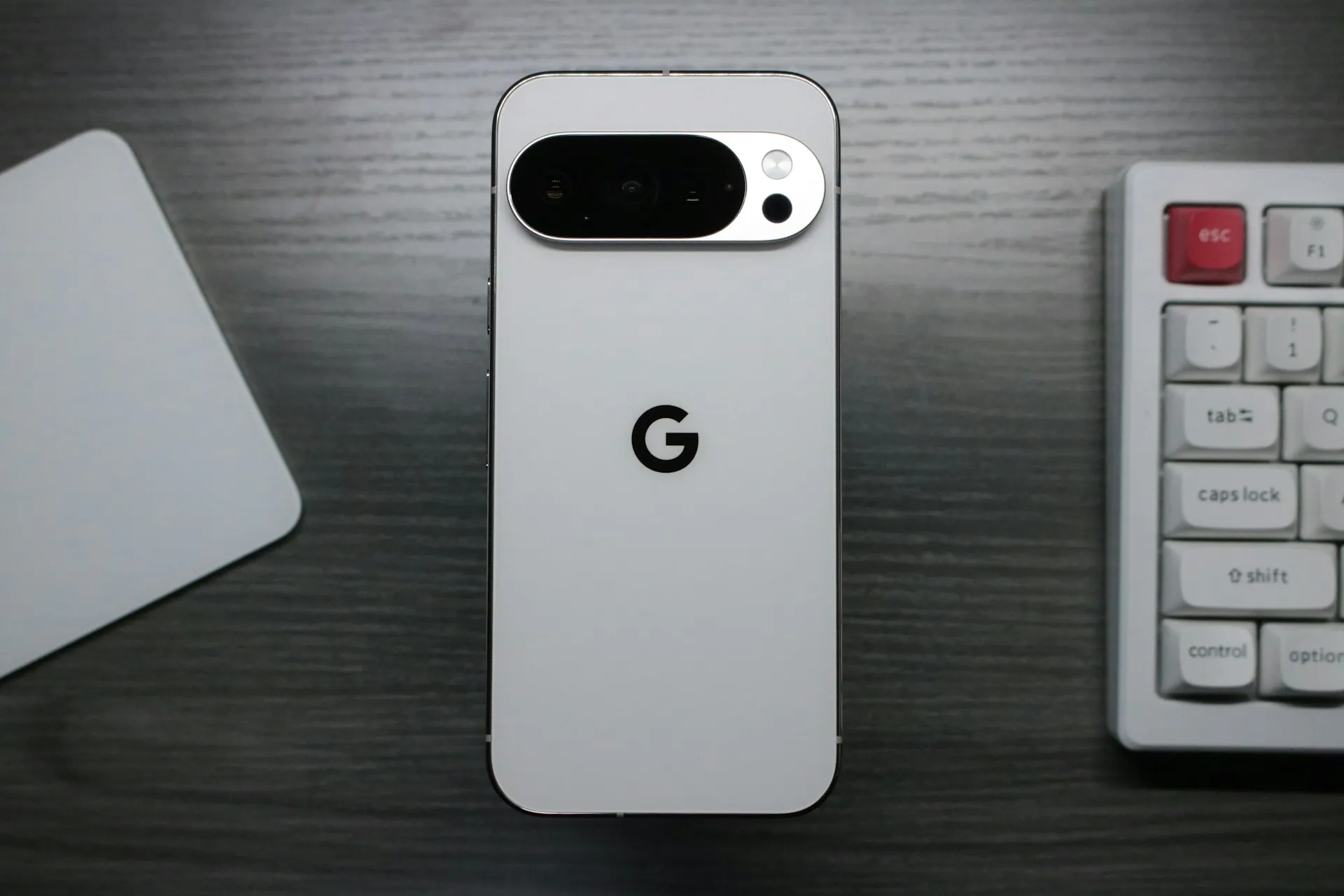
When most people think about AI in smartphones today, they picture apps that automatically enhance photos or generate images from scratch. Google's Pixel 10 series takes a completely different approach with Camera Coach—a feature that actually teaches you how to become a better photographer instead of just doing the work for you.
Here's what makes this interesting: instead of applying filters or tweaking your shots after the fact, Camera Coach uses Gemini AI to provide step-by-step directions for improving your photography before you press the shutter button. It's like having a photography instructor in your pocket, but one that understands exactly what you're looking at through your viewfinder.
What really sets this apart is the educational philosophy. Gemini doesn't alter any of the images but merely acts as a guide, making you do all the work. You're not just getting a better photo—you're learning principles like composition, lighting, and perspective that carry forward to future shots. And honestly, I haven't seen a feature like Camera Coach on any other phone, which makes this a genuinely unique offering in the crowded smartphone market.
The feature is currently exclusive to the Pixel 10 lineup, including the Pixel 10, Pixel 10 Pro, Pixel 10 Pro XL, and Pixel 10 Pro Fold. It represents something refreshingly different in mobile photography—AI that enhances human creativity rather than replacing it.
How Camera Coach transforms your photography workflow
Getting started with Camera Coach is surprisingly straightforward, though the process requires a bit of patience. You begin by tapping the camera-plus icon in the upper right corner of the Pixel Camera app, which immediately starts analyzing whatever scene you have framed in your viewfinder.
The magic happens during this analysis phase. The system scans what's in your viewfinder and provides tips specific to your situation, analyzing everything from your current composition to lighting conditions. Once the scanning completes, you'll get options that might surprise you with their creativity. For example, when photographing an iced coffee, you might see thematic suggestions like "Iced Coffee Up Close" or more artistic approaches such as "wooden table texture with drink".
Once you select your preferred theme, the real education begins. After you select your preferred theme, Gemini prepares personalized how-to steps that appear near the top of your screen. These aren't generic photography tips—they're adaptive instructions that respond to your specific scene, from switching camera modes to adjusting your distance from the subject.
The interface makes learning intuitive. A blue oval might appear around the Portrait button to show you exactly where to tap, eliminating guesswork about which controls to use. You work through each suggestion using the arrow button next to the shutter, and only when you've completed all the steps do you get the satisfying "Take the photo" prompt.
One practical consideration: the feature requires an internet connection since it uses cloud-based Gemini models for optimal suggestions. This cloud processing enables the sophisticated scene analysis that powers Camera Coach's contextual intelligence, but it does mean you'll want a decent data connection for the best experience.
The educational approach that sets it apart
What truly distinguishes Camera Coach from other AI camera features is its commitment to building understanding rather than just delivering results. When the system suggests you zoom in closer to your subject, it doesn't just tell you to do it—it explains how it would make your subject more prominent in your photo. This approach helps users internalize photography fundamentals that improve their technique over time, even when they're not using the coaching feature.
The target audience reflects this teaching philosophy. The primary audience isn't professional photographers or hobbyists but folks who enjoy taking photos and want to learn more about technique. Rather than expecting users to consume hours of YouTube tutorials or photography courses, Camera Coach delivers bite-sized lessons during actual photo-taking sessions.
This contextual education approach proves particularly powerful because it addresses real-world scenarios. Built on top of Gemini AI, the feature understands scene context and can make suggestions based on ambient lighting, or perhaps a different perspective if you are shooting food at a restaurant. Users learn not just abstract composition rules, but how to adapt techniques to different lighting conditions, subjects, and environments they encounter in daily photography.
The long-term potential here is compelling. I can see amateurs becoming photography enthusiasts after using Camera Coach for some time, as the feature builds confidence and understanding that naturally leads to greater creative exploration.
Performance realities and practical limitations
Let's be honest about Camera Coach's biggest constraint: speed. The feature's educational nature comes with deliberate pacing that isn't suitable for every photography scenario. The feature takes a couple of seconds, sometimes longer, to scan your composition and offer recommendations. Add in theme selection and step-by-step guidance, and the entire process can take close to a minute before you get the "Take the photo" prompt.
This timing makes certain photography scenarios impractical. You should not use this to grab a photo of your kids or pets unless they're sleeping. Camera Coach isn't designed for those times when you want to grab a quick shot with a dog hanging out the window of a passing car. Part of this timing seems affected by how strong your internet connection is, which makes sense given the cloud-based processing requirements.
There are also some technical restrictions worth noting. Camera Coach works on all of the rear cameras and even with Pro Res Zoom on the Pixel 10 Pro/10 Pro XL, but it doesn't work with the selfie camera. More frustratingly, when the system suggests taking a panorama photo, you can't actually access Panorama mode, likely due to interface conflicts between the two systems.
But here's an interesting perspective on that slowness: it allowed me to pay attention to composition and really contemplate how I wanted to take a photo. In our fast-paced, instant-gratification world, being forced to slow down and consider your shot can actually enhance the learning experience and lead to more thoughtful photography.
Privacy considerations and cloud processing
Using Camera Coach means sending your viewfinder contents to Google's servers, which raises important questions about data handling and user privacy. Google explicitly states that "when you use Camera Coach, the contents of the scene will be sent to Google for processing and then deleted". This transparency is appreciated, but it still requires trust in Google's data handling practices and creates usage considerations for sensitive content.
The cloud processing requirement is what enables Camera Coach's sophisticated scene analysis and contextual suggestions. The feature uses cloud-based Gemini models to give you the best, most relevant suggestions, allowing for more advanced AI capabilities than what could run locally on the phone. This architecture choice reflects the broader industry trend where the most sophisticated AI features require server-side processing to deliver their full potential.
The practical implication is clear: don't share anything private with Camera Coach for this reason. If you're photographing sensitive documents, personal information, or anything you'd prefer to keep completely private, you'll want to stick with standard camera modes that keep all processing on-device.
This represents a fundamental trade-off in modern mobile AI: users must balance the benefits of enhanced functionality against their comfort level with cloud processing. For Camera Coach's target audience of casual photographers looking to improve their skills, this trade-off may be acceptable, but it's important that users understand the data implications of their choice.
The competitive landscape and future implications
Camera Coach stands out in a mobile photography market that's increasingly focused on computational photography and generative AI enhancements. While other manufacturers concentrate on automatically improving images through better algorithms or adding AI-generated elements, Google has taken a fundamentally different approach that prioritizes user education over automated results.
The uniqueness of this approach can't be overstated. I haven't seen a feature like Camera Coach on any other phone, which gives Google a legitimate differentiator in a market where camera features often feel incremental. This isn't just about better sensors or more computational power—it's about fundamentally changing how people interact with and learn from their phone's camera system.
Rather than encouraging editing, cropping into images, or adding to them with generative AI after the photo has been shot, it helps at the point of capture. This focus on improving the initial capture rather than post-processing enhancement represents a more sustainable approach to photography improvement that builds lasting skills.
The competitive implications extend beyond photography features. Camera Coach demonstrates how AI can serve as a collaborative tool that enhances human capabilities rather than replacing them. Google's direction with AI tools as creativity and productivity accelerators instead of replacements could influence how other manufacturers approach AI integration across all smartphone features, potentially shifting the industry away from pure automation toward more educational and collaborative implementations.
What this means for Android's camera future
Camera Coach represents more than just another camera feature—it signals a potential paradigm shift in how we think about AI's role in creative tools. Rather than simply generating better results, this approach focuses on developing better creators. The feature highlights AI's potential as a context-aware assistant in creative endeavors, proving that smartphone AI can serve purposes beyond text generation or image manipulation.
The implications for skill development could reshape mobile photography culture. AI doesn't just aim to make your next photograph better—it's trying to teach you what makes that photograph better. If this educational approach gains traction, we could see a generation of smartphone users who actually understand photography principles rather than just relying on automatic enhancements.
From a technical standpoint, Camera Coach proves that effective AI implementation doesn't always require the most advanced algorithms or the fastest processing. Sometimes the most valuable AI features are those that slow us down, make us think, and help us understand the "why" behind creative decisions. This teaching-focused philosophy could inspire similar educational approaches in other creative applications, from video editing to music production.
The success or failure of Camera Coach will likely influence whether the industry moves toward more collaborative AI tools or continues focusing primarily on automation. It remains to be seen if it gets serious adoption or remains a curiosity, but the concept proves an important point: AI on phones can serve other creative purposes than rephrasing text or generating cartoon images.
Bottom line: Camera Coach isn't just about taking better photos today—it's about building photography understanding that compounds over time. A good coach doesn't just help you capture a good image—it gives you the tools to repeat that process. Whether this collaborative approach to AI resonates with consumers will likely determine the future direction of creative tools in mobile technology and beyond.


Comments
Be the first, drop a comment!