



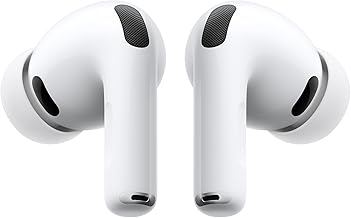

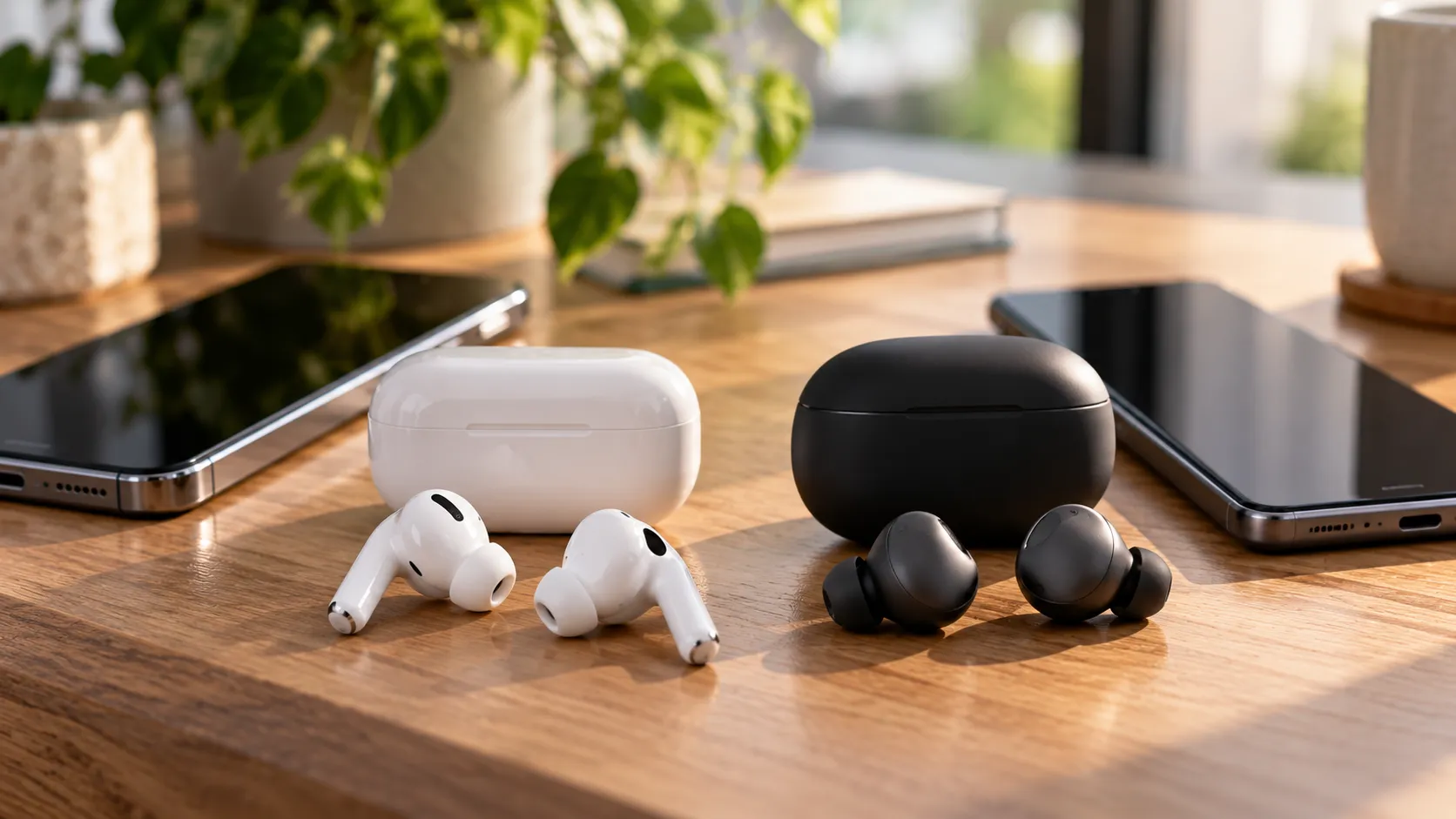
AirPods Pro 3 reserve their fullest feature set for a compatible iPhone. Pixel Buds Pro 2 reserve theirs for a compatible Android phone. But AirPods Pro 3 vs Pixel Buds Pro 2 phone compatibility doesn't split evenly down the middle: neither pair has a companion app on the competing platform.
SoundGuys found that pairing AirPods Pro 3 with Android removes access to firmware updates, Adaptive Audio, Hearing Aid, heart-rate sensing, and Live Translation. Pixel Buds Pro 2 on iPhone fare differently, according to CHIP's testing, which found that Bluetooth multipoint and wear detection continued working without the Pixel Buds app installed.
Live Translation shows the gap clearly. Apple's version needs an iPhone 15 Pro or newer running iOS 26 or later, Apple Intelligence enabled, the Translate app installed, and current AirPods firmware. Apple still labels the feature beta. Google's translation tools work with a broader range of Android phones, although availability and functionality depend on the device, apps, and language support.
What follows is a feature-by-feature look at AirPods Pro 3 vs Pixel Buds Pro 2 supported features, distinguishing manufacturer-confirmed capabilities from third-party testing. A support page and a single lab result don't carry equal weight, and treating them as interchangeable can leave buyers disappointed.
AirPods Pro 3 vs Pixel Buds Pro 2 phone compatibility: the four-phone comparison
Both earbuds support standard Bluetooth audio across iPhone and Android, but their advanced features differ considerably.
App access and EQ
AirPods Pro 3 on iPhone: Full AirPods settings integration, including Adaptive EQ, but no manually customizable graphic equalizer.
AirPods Pro 3 on Android: No official AirPods companion app or access to Apple-specific EQ settings.
Pixel Buds Pro 2 on Android: Pixel Buds settings and customizable EQ, with some features requiring particular devices or software versions.
Pixel Buds Pro 2 on iPhone: No Pixel Buds companion app or access to its EQ controls.
Firmware updates
AirPods Pro 3 on iPhone: Supported through Apple's automatic firmware update process.
AirPods Pro 3 on Android: No official Android firmware update mechanism.
Pixel Buds Pro 2 on Android: Supported through Google's Pixel Buds settings.
Pixel Buds Pro 2 on iPhone: No documented iOS firmware update mechanism.
Bluetooth multipoint
AirPods Pro 3 on iPhone: Automatic switching across compatible Apple devices, but not conventional Bluetooth multipoint.
AirPods Pro 3 on Android: No native multipoint support.
Pixel Buds Pro 2 on Android: Google-confirmed multipoint support for two simultaneous device connections.
Pixel Buds Pro 2 on iPhone: CHIP reports that multipoint remains functional, although Google's documentation doesn't establish every iPhone configuration.
Wear detection
AirPods Pro 3 on iPhone: Supported.
AirPods Pro 3 on Android: CHIP reports that automatic wear detection isn't supported in its testing.
Pixel Buds Pro 2 on Android: Supported.
Pixel Buds Pro 2 on iPhone: CHIP reports that wear detection continues working.
Adaptive Audio and related features
AirPods Pro 3 on iPhone: Adaptive Audio, Conversation Awareness, and other Apple-specific controls are supported.
AirPods Pro 3 on Android: Apple-specific Adaptive Audio features aren't supported.
Pixel Buds Pro 2 on Android: Google's Adaptive Audio and Loud Noise Protection features are available on supported devices.
Pixel Buds Pro 2 on iPhone: Advanced feature availability isn't fully documented.
Hearing Aid and heart-rate sensing
AirPods Pro 3 on iPhone: Supported with the appropriate device, software, and eligibility requirements.
AirPods Pro 3 on Android: Apple's associated health features aren't supported.
Pixel Buds Pro 2 on either platform: They don't offer equivalent built-in Hearing Aid or heart-rate sensing features.
Live Translation
AirPods Pro 3 on iPhone: Supported in beta with an Apple Intelligence-compatible iPhone and the required software.
AirPods Pro 3 on Android: Apple's Live Translation feature isn't supported.
Pixel Buds Pro 2 on Android: Google Translate-based conversation features are available with supported Android devices and apps.
Pixel Buds Pro 2 on iPhone: No equivalent Pixel Buds-specific translation integration is documented.
Device switching
AirPods Pro 3 on iPhone: Automatic switching across compatible Apple devices.
AirPods Pro 3 on Android: No equivalent Apple ecosystem switching.
Pixel Buds Pro 2 on Android: Google's Audio Switch and multipoint features are available on supported devices.
Pixel Buds Pro 2 on iPhone: Multipoint may work, but Google's automatic Audio Switch integration isn't documented for iOS.
The differences come from a combination of Apple's and Google's support documentation and third-party testing. CHIP's findings about Pixel Buds Pro 2 on iPhone are particularly useful, but they remain one outlet's results rather than a guarantee for every iPhone model.
AirPods Pro 3 compatibility with Android phones: what's lost
Pairing AirPods Pro 3 with an Android phone removes access to Apple's integrated settings and advanced ecosystem features. SoundGuys reports that Adaptive Audio, Hearing Aid, heart-rate sensing, Live Translation, and firmware updates aren't available through Android.
CHIP's independent testing reaches a similar conclusion. In its tests, wear detection, head gestures, Live Translation, and personalized spatial audio required an Apple device.
That doesn't mean AirPods Pro 3 stop functioning as ordinary earbuds. Basic Bluetooth audio playback and calling remain available, along with supported physical controls. The limitation is access to features that rely on Apple's software and device integration.
There is no official Apple companion app for Android that restores those capabilities. Users who primarily rely on Android should therefore consider AirPods Pro 3 a basic Bluetooth audio option rather than a fully featured alternative to Android-focused earbuds.
Pixel Buds Pro 2 compatibility with iPhone: what survives, what's undocumented
CHIP's testing found that Pixel Buds Pro 2 retain Bluetooth multipoint and wear detection when paired with an iPhone, even without the Pixel Buds app installed.
Google officially supports multipoint on Pixel Buds Pro 2, allowing simultaneous connections to two devices. However, its documentation doesn't establish that every iPhone pairing will behave identically, so CHIP's findings are best treated as a useful hands-on result.
What's clearly unavailable on iPhone is the Pixel Buds companion app and its customizable equalizer. Firmware management and several advanced settings also depend on Google's Android integration.
SoundGuys adds an important caveat for Android buyers: some Pixel Buds Pro 2 features are Pixel-specific, so the experience on a Samsung Galaxy or OnePlus phone may differ from that on a Pixel.
Anyone comparing the two should check those distinctions before assuming full feature parity across either ecosystem.
Live Translation: beta on iPhone, broader reach on Android
Apple's requirements are specific: an iPhone 15 Pro or newer, iOS 26 or later, Apple Intelligence enabled, the Translate app downloaded, and current AirPods firmware.
Apple also requires users to download the languages they want to translate. Live Translation remains a beta feature, with availability varying by region and language.
Android users paired with AirPods Pro 3 cannot access Apple's AirPods Live Translation feature, because it depends on the supported iPhone and Apple Intelligence integration.
Google's approach is broader. Google Translate and related conversation features work across supported Android phones rather than being limited to Pixel hardware. Android Central reports that compatible Android phones running Android 6 or newer can use Google's translation tools with current app versions.
However, that doesn't mean every translation feature is available on every Android 6 device. Individual modes can have newer software requirements, and some Gemini-powered features are limited by device, region, or language.
Google has supported translation through Pixel Buds since the original model launched in 2017, but the experience has evolved alongside Google Assistant, Google Translate, and Gemini.
The available reporting doesn't establish an equivalent Pixel Buds Pro 2 translation workflow on iPhone. Users should therefore avoid assuming that the Android experience carries over.
Neither system guarantees flawless translation. Accuracy and delay can vary with language, background noise, connectivity, and the mode being used. Apple's Live Translation documentation also warns that generative translations may be inaccurate.
Anyone choosing earbuds primarily for translation should confirm device eligibility, supported languages, and the specific translation mode before buying.
Health features and hardware gaps that don't change the compatibility picture
AirPods Pro 2 and Pro 3 support Apple's Hearing Aid feature for eligible adults 18 or older with perceived mild to moderate hearing loss. Setup requires compatible Apple hardware and current software, while amplification operates in Transparency mode.
AirPods Pro 3 also include heart-rate sensing during workouts. Apple's Fitness integration supports compatible Apple devices, but the feature shouldn't be confused with the separate requirements for Live Translation or Hearing Aid.
Pixel Buds Pro 2 don't provide equivalent built-in Hearing Aid or workout heart-rate sensing features. Their advantage is broader Bluetooth device flexibility, particularly through multipoint connections.
On raw hardware, SoundGuys measured AirPods Pro 3 reducing external noise by about 90%, compared with roughly 80% for Pixel Buds Pro 2. The outlet also preferred the AirPods' microphone performance.
Battery life was close in its testing: 8 hours and 42 minutes for AirPods Pro 3 versus 7 hours and 55 minutes for Pixel Buds Pro 2, both with active noise cancellation enabled.
Official launch pricing also favors Pixel Buds Pro 2 at $229, compared with $249 for AirPods Pro 3, although retailer prices may differ.
None of those differences changes which phone each pair is designed to work with. Better noise cancellation doesn't restore Apple's Live Translation on Android, and a lower price doesn't provide the Pixel Buds app on iPhone.
What to check before you buy
CHIP and SoundGuys both favor Pixel Buds Pro 2 for Android users and AirPods Pro 3 for iPhone users, primarily because each product delivers more of its advanced features within its intended ecosystem.
Before buying AirPods Pro 3 for Live Translation, confirm that your iPhone is a 15 Pro or newer running iOS 26 or later, that Apple Intelligence is enabled, and that the Translate app and AirPods firmware are current.
For Hearing Aid or heart-rate sensing, check the separate eligibility and device requirements rather than assuming the Live Translation checklist applies to every health feature.
Before buying Pixel Buds Pro 2 for use with an iPhone, don't treat CHIP's multipoint and wear-detection findings as universal guarantees. Test those functions on your specific phone if possible, and expect to lose access to the Pixel Buds app and its equalizer.
If your Android phone isn't a Pixel, check which advanced features require Pixel hardware or newer software before assuming the complete feature set is available.
Neither pair is a fully equivalent cross-platform purchase. Android users will generally get a more complete experience from Pixel Buds Pro 2, while eligible iPhone owners will get more from AirPods Pro 3. Anyone switching regularly between platforms should prioritize the specific features they need rather than relying on Bluetooth compatibility alone.






Comments
Be the first, drop a comment!